 NotchPad
 Guides
Review project decisions and use the Memory Map
Save a decision with its source, review agent suggestions, and connect related records in NotchPad’s project Memory Map.
Capture the decision and its evidence
In Projects → Documents, open a note, Markdown file, or imported chat. Select the passage that explains the decision and choose Remember → Save as Decision. Give the record a title that can stand on its own, such as “Deploy the kiosk separately from the website.” Its source lets you check the original wording later.
Ask an agent for proposals you can review
Give the client Read and Allow Writes on the project and share the relevant source. Try this prompt.
Use NotchPad to read the shared launch conversation. Propose the decisions that changed the plan. Cite the message that supports each decision. Leave open questions as questions.
Open the project’s Review tab and check the proposals against their sources. Accept the ones you want future sessions to use. Importing or following a chat keeps the source available. Extracting decisions happens when you capture them or ask an agent to propose them.
Add a relationship and check the map
Open an accepted record in Knowledge → Edit & History → Link to Knowledge… and choose a related record. A connected agent with the appropriate access can also link two accepted records. In Memory Map, choose the project. Lines represent saved relationships. If a line is missing, check that both records are visible with the current kind and status filters.
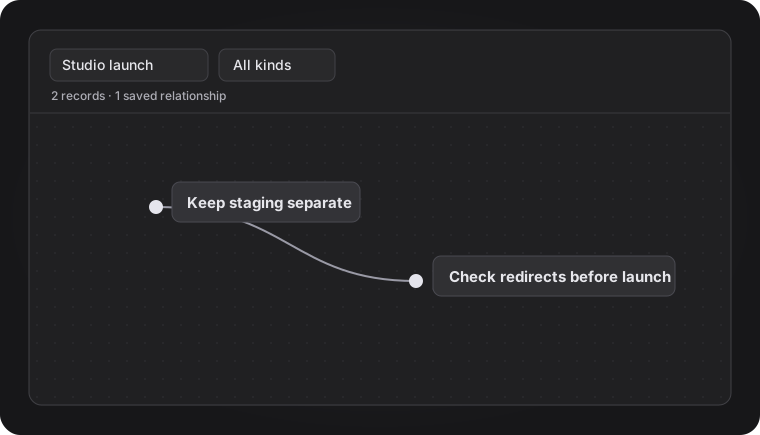
Pick up in a new session
In another client with access to that project, ask what was decided about the kiosk and which message supports it. A useful handoff gives you a short answer, the source, and any unanswered question. You can compare it against the accepted record in NotchPad.