 NotchPad
Keep building your workspace
Work with linked Markdown files and connected notes, or follow the project-context handoff workflow.
NOTCHPAD PROJECTS
Bring the brief, the chat, and the decision into one project. Give the next session a source it can check.
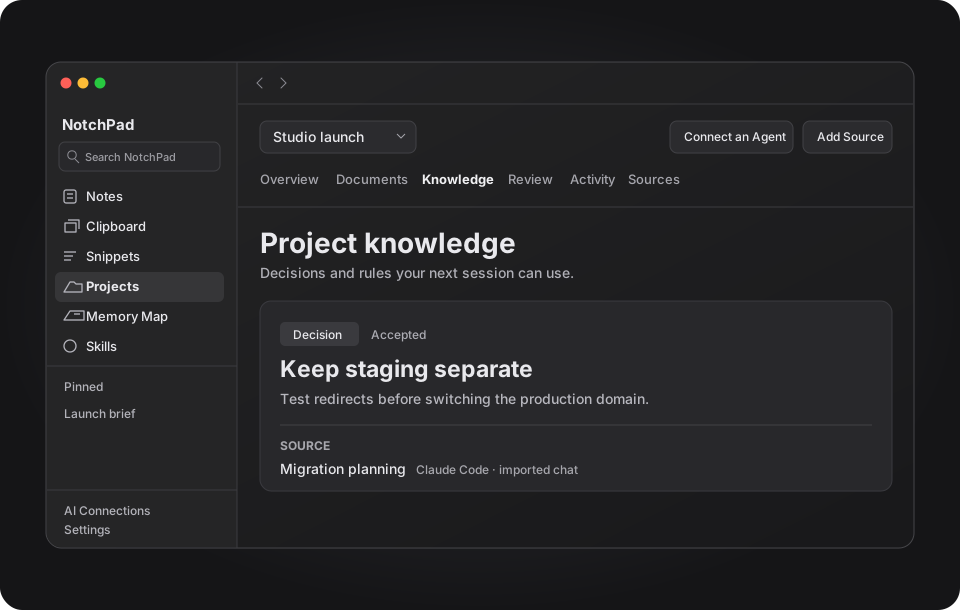
ONE PROJECT, TWO SESSIONS
“Keep staging separate so we can test redirects before the domain switches.”Import Codex or Claude Code chats
Save the reason and link it to the original message.
Review a sourced decisionAsk Codex to check the shared project and cite the decision it uses.
Connect an agent with MCP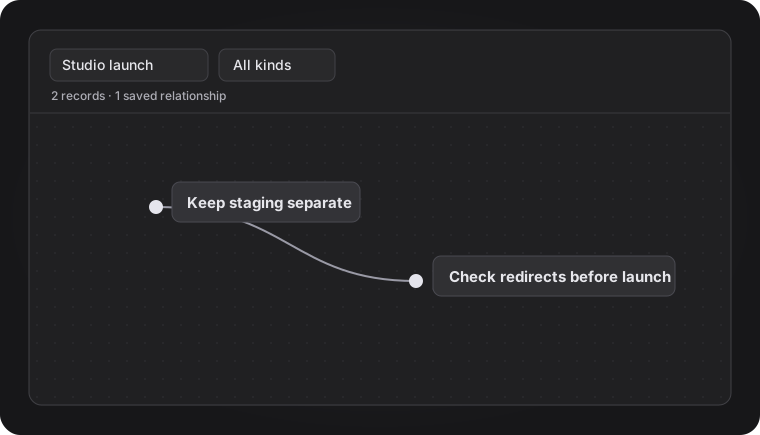
MEMORY MAP
Link a decision to the rule it relies on. Open either record to check the evidence behind it.
Explore the Memory Map guideLink a Markdown folder and add existing NotchPad notes. Linked files stay on disk.
Link project sourcesChoose which projects and sources a connected app can read. Share instructions from your Skills Library when they’re useful to the task.
Share a skill with an agentWork with linked Markdown files and connected notes, or follow the project-context handoff workflow.