 NotchPad
Notes and clipboard history in your MacBook notch.
Find what you copied. Keep a note beside the window you’re using. Save replies you send all the time. NotchPad puts them one hover or shortcut away.
Apple silicon Mac · macOS 15+ · No notch required. Free to start. Pro is $9.99 once for up to 3 Macs.
Keep the note with the work
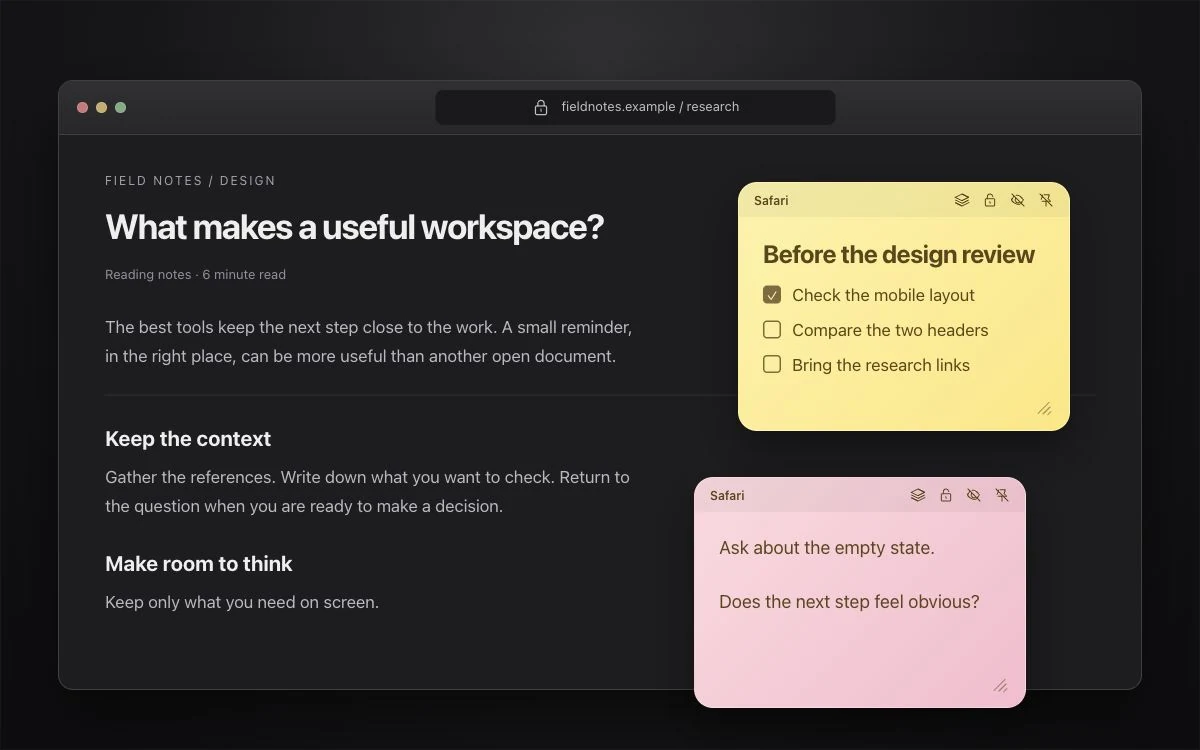
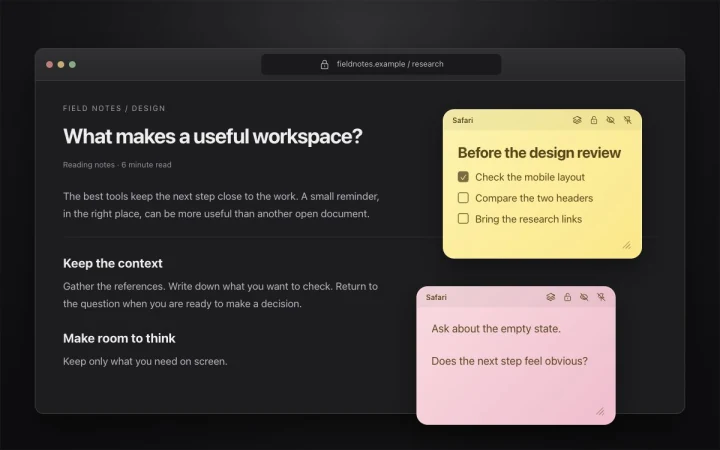
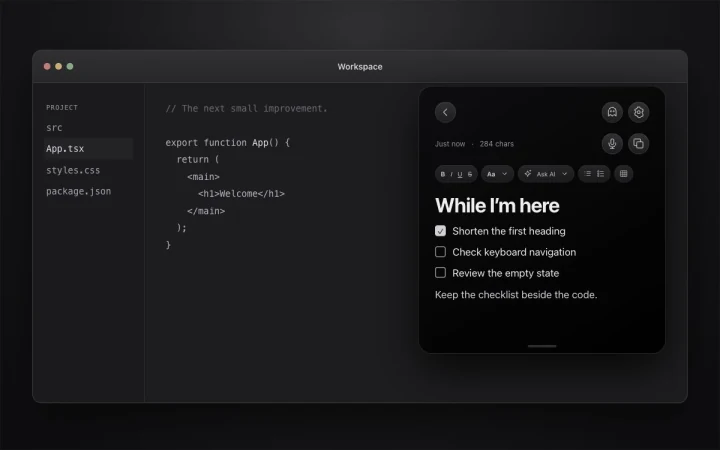
Attach sticky notes to windows, supported browser pages, Figma files, or applications. Drag, resize, stack, or hide them.
Save it here, Claude
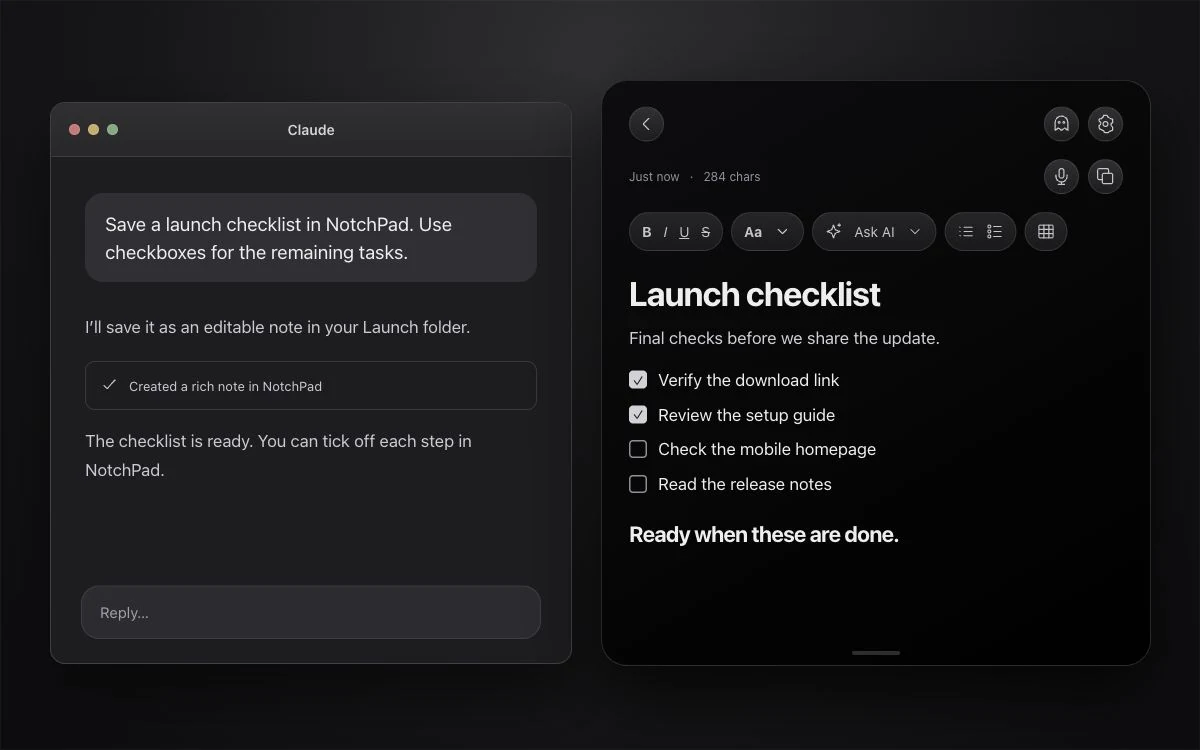
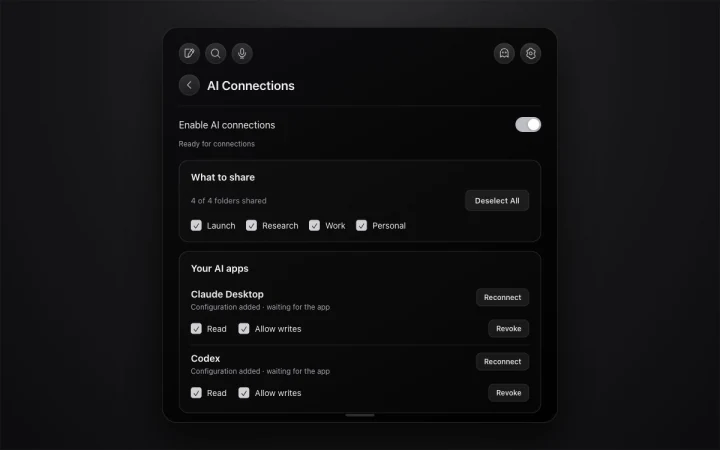
Connect Claude, Codex, Cursor, VS Code, and other MCP apps inside Settings. Choose folders and read/write permissions, then save editable summaries, plans, tables, and checklists.
For the things you’ll need again
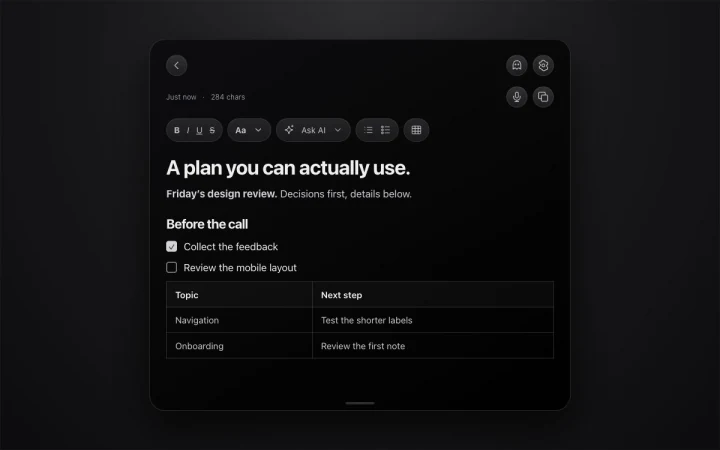
- Rich text notes with images, editable tables and checklists
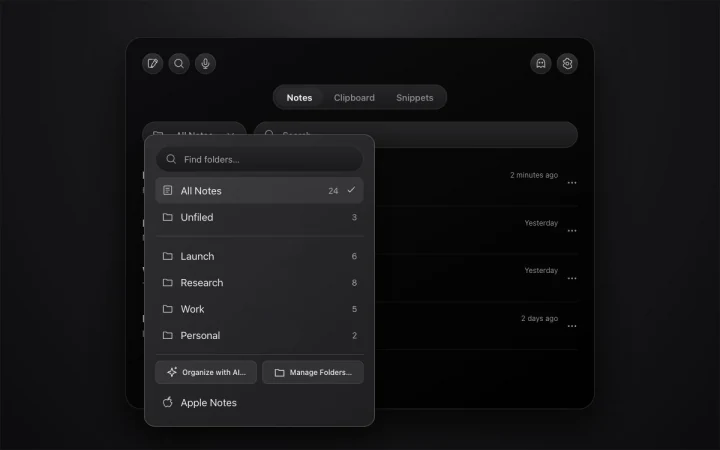
- Folders, search and pinned notes
- Searchable local clipboard history
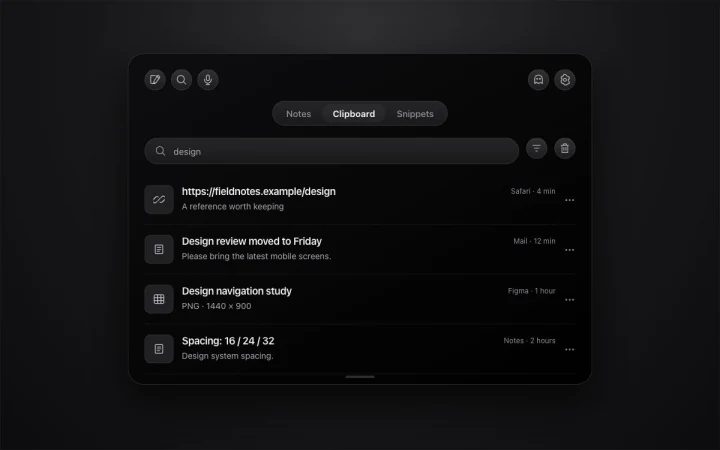
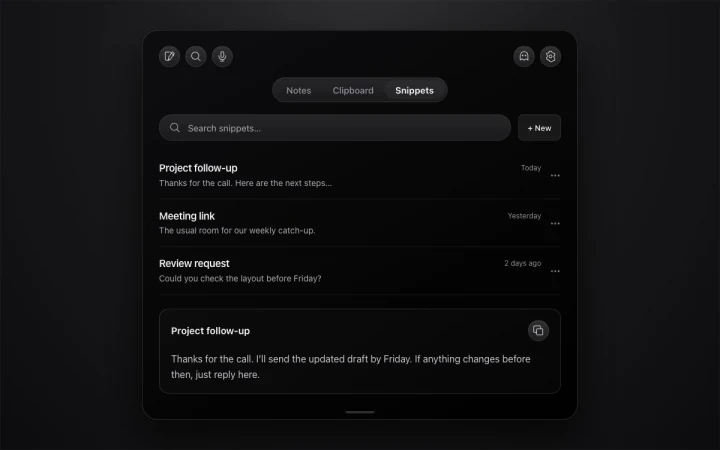
- Named reusable snippets
- Sticky notes for windows, supported pages, Figma files and applications
- Claude, Codex and other MCP connections with read/write controls
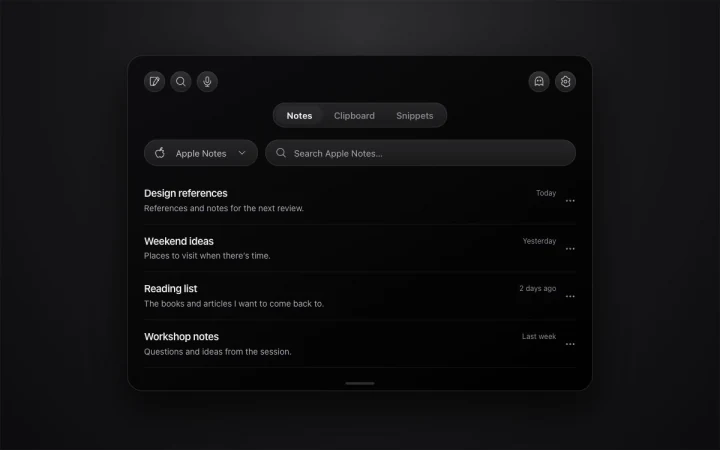
- Apple Notes browsing and editing
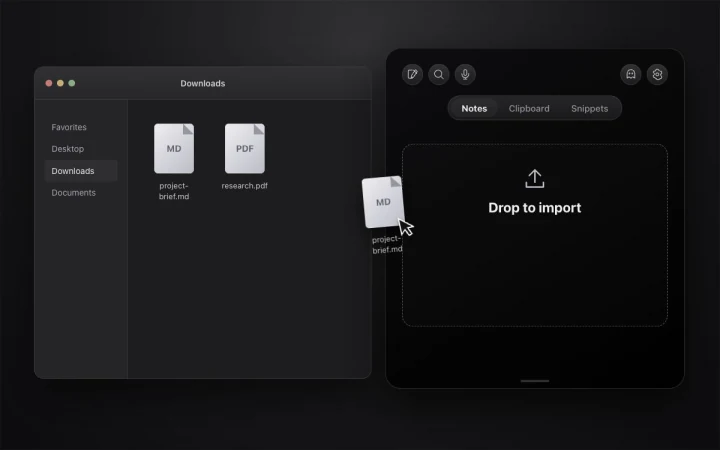
- Text import from documents, PDFs and code files
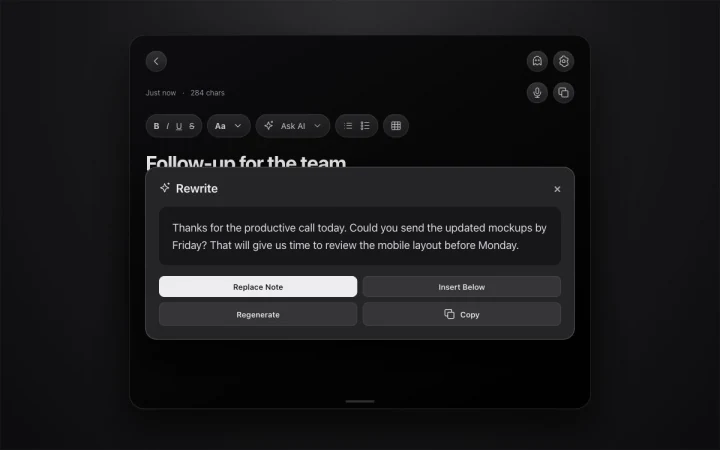
- Optional on-device AI editing on macOS 26 or later
- Floating panel and Ghost Privacy capture exclusion
- Encrypted locked notes and recognized sensitive clipboard text
Free includes 20 NotchPad notes, 10 clipboard items, 5 snippets, and 5 built-in AI edits per day on supported Macs. Apple Notes access is uncapped. Pro is $9.99 once for up to 3 Macs. It removes the free plan limits on notes, clipboard history, snippets, and built-in AI edits. No subscription.
Frequently asked questions
Will NotchPad work on my Mac?
The current download supports Apple silicon Macs running macOS 15 or later. A physical notch is optional: on a desktop Mac or external display, NotchPad opens at the top center. Hover there, double-press Control, or use the menu bar.
What can I do for free?
Free includes 20 NotchPad notes, 10 clipboard items, 5 snippets, and 5 built-in AI edits per day on supported Macs. Apple Notes access is uncapped. Pro is $9.99 once for up to 3 Macs. It removes the free plan limits on notes, clipboard history, snippets, and built-in AI edits. No subscription.
Can I keep a note on a particular window or page?
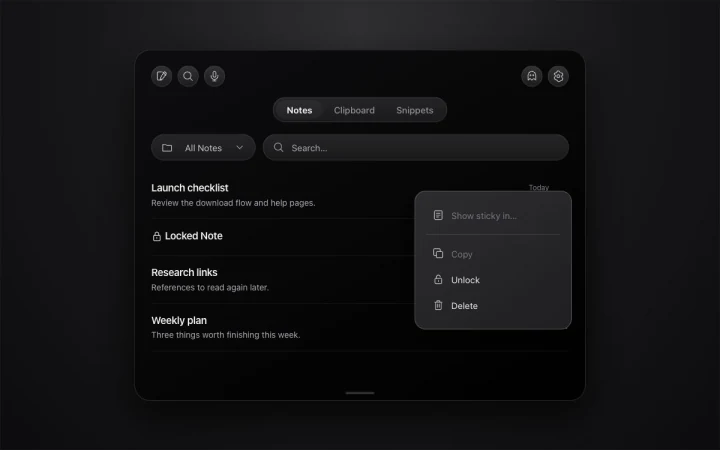
Yes. Choose Show sticky in… from a note’s menu, then select the window, a supported browser page or Figma file, or the whole app. Drag and resize the note, stack several together, or hide and show them with a shortcut. Window tracking requires Accessibility permission.
Can Claude or Codex read and write my notes?
Yes, after you enable AI Connections in Settings and connect the app. Choose shared folders and read or write permission for each connection. AI can create notes and append content, including formatted text, tables, and checklists. It cannot move, rename, delete, or replace your notes or folders.
Where are my notes stored?
NotchPad stores notes, clipboard history, and snippets on your Mac. It does not upload that content to NotchPad servers. If you enable AI Connections, the connected AI app can read the content you share and may send it to its provider under its own settings. Locked notes, Apple Notes links, and clipboard history are excluded from MCP access.
Does every note need Apple Intelligence?
No. Notes, folders, clipboard history, snippets, sticky notes, and AI Connections work without Apple Intelligence. Built-in AI editing and folder suggestions require macOS 26 or later with Apple Intelligence enabled and its on-device model available in a supported language.
How do locked notes work?
Lock a note to encrypt its contents and require Touch ID or your Mac login password to reveal it. Recognized sensitive clipboard text is protected separately. Ordinary unlocked notes and ordinary clipboard items are not all encrypted by NotchPad.
What does Ghost Privacy do?
Ghost Privacy requests that capture software exclude NotchPad while keeping it visible on your display. Check the sharing or recording preview in the app you use before presenting; capture methods can behave differently. It does not lock the note or hide it from someone looking at your screen.
Can I dictate a note?
The microphone button opens the separate NotchLive app. Voice Notes requires NotchLive Pro. Dictate there, review or clean up the text, then send it back to NotchPad. NotchPad Pro does not include a NotchLive license.
Can I get a refund?
You can request a refund within 14 days of purchase by emailing support@tinythings.app or contacting Polar support.