 NotchPad
Recover an earlier copy
- Keep NotchPad running and copy text, a link, an image, or a file in Finder.
- Open NotchPad with double Control and choose Clipboard.
- Search for a word you remember. Copy the matching item, then paste it in your app.
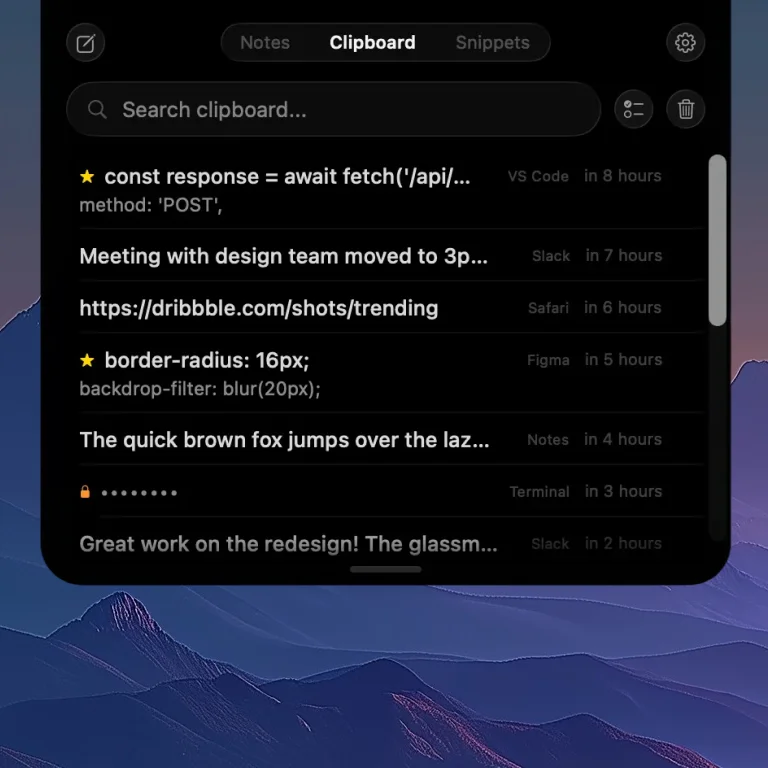
Keep the useful bits together
Pin an item you need often. Select related text items and merge them into a note. Use the source app and preview to distinguish a link from a screenshot or a file reference. Finder items point to the original file; they are not backup copies.
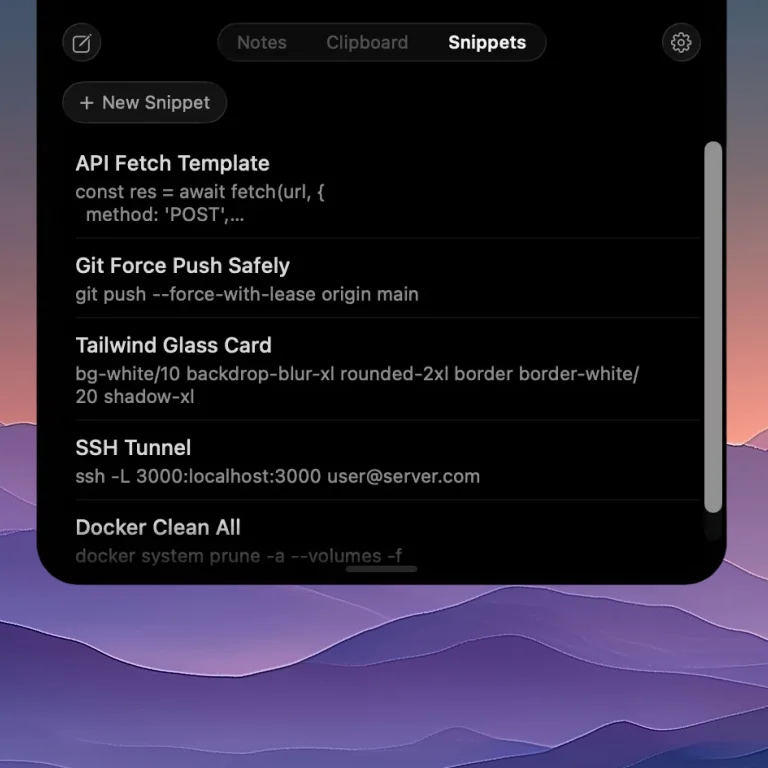
A snippet is the reply you’re tired of finding again
Save your scheduling message, support answer, signature, prompt, or terminal command in Snippets. Give it a clear name, search for that name, and copy the text. Snippets are saved text you choose to reuse; NotchPad does not expand typed abbreviations throughout other apps.
History has limits you can understand
Free keeps 10 clipboard items. When those slots are full, new capture pauses until you delete an item or upgrade; existing items stay available. Pro removes the free limit, while your history setting still controls how much you keep. Free also includes 5 snippets; Pro removes that limit.
Local storage, with protection for sensitive text
Clipboard history stays on your Mac and is excluded from NotchPad’s MCP tools. Recognized sensitive text is encrypted and masked, with Touch ID or Mac password authentication to reveal it. Ordinary history is not all encrypted. Detection is not a reason to keep credentials indefinitely: delete anything you don’t need.
What about the clipboard history built into macOS?
Current macOS versions include clipboard search in Spotlight. That may be enough if you only need recent copies. NotchPad adds a dedicated clipboard panel alongside rich notes, named snippets, and window stickies. Read the setup guide for both approaches.