 NotchPad
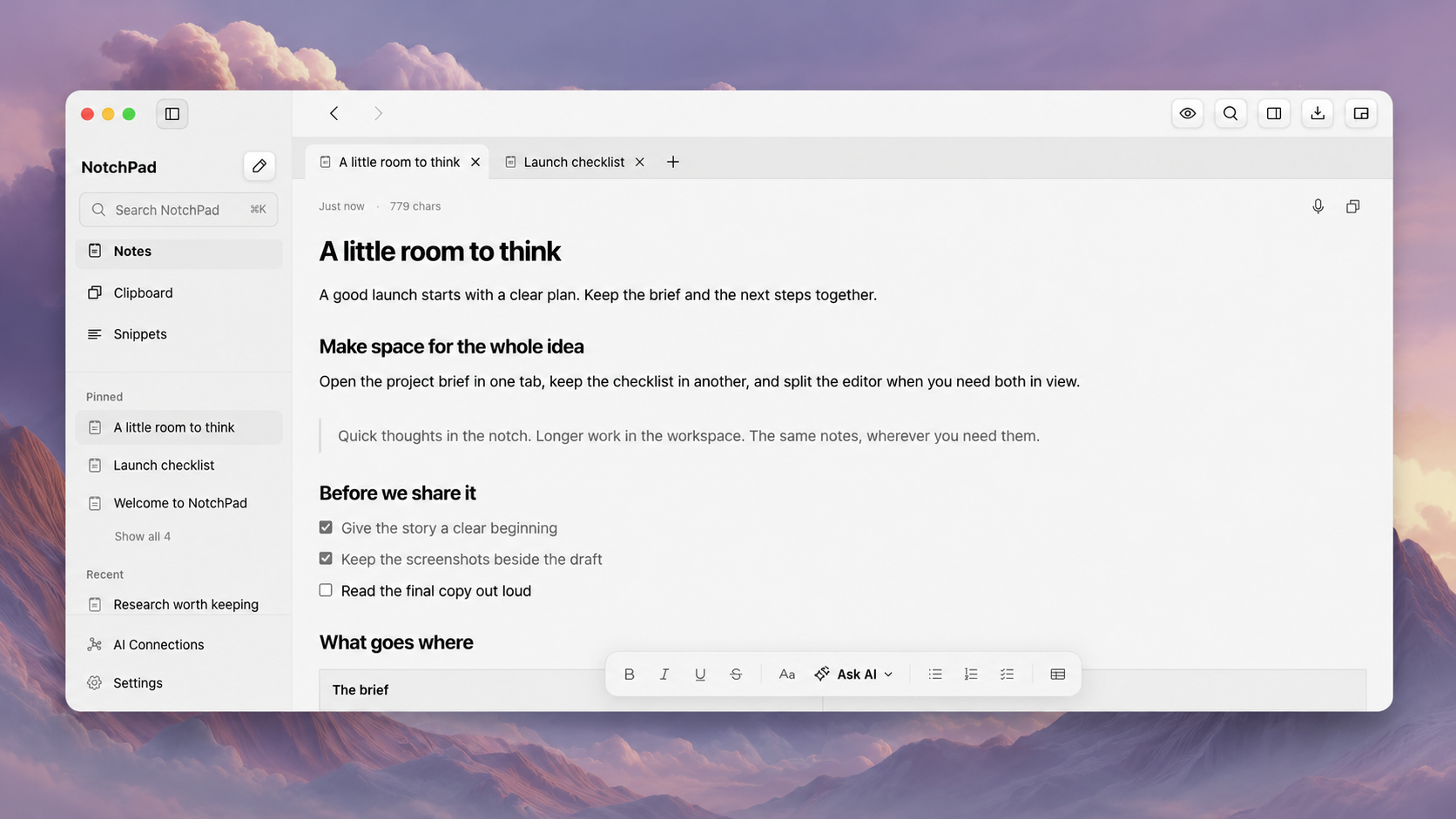
The short answer: NotchPad does not require a physical notch. You can open it with a double-press of Control or from the menu bar, and work in its full desktop workspace. The name describes where the app started, not the only place your notes can live.
The more useful question is what you need the app to do once you have opened it.
First, which new MacBook Pro?
Apple introduced the 14- and 16-inch MacBook Pro with PROLED XDR Display, M5 Pro or M5 Max, and Dynamic Island on October 28, 2026. Availability began November 6. This is the model relevant to the change at the top of the screen. Apple's announcement.
There is also a separate new 14-inch MacBook Pro with M6 and a Liquid Retina XDR display. “The new MacBook Pro” is not a precise enough description when comparing display behaviour. Check the actual model rather than assuming every new Pro has the same screen. Apple's M6 announcement.
What Apple's Dynamic Island does
Apple describes Dynamic Island as a home for Spotlight, Live Activities and Siri AI, including interactions such as music controls and AirDrop. Those are useful system features. If your reason for installing an extra utility was simply to put playback controls at the top of the display, try the built-in experience first. Apple's Dynamic Island overview.
That is a different buying decision from choosing a place to keep a project brief, revise a draft or find the checklist you need tomorrow.
NotchPad is built around that longer-lived work. A small access point is helpful, but the access point is not the document.
What stays useful in NotchPad
Imagine preparing a client presentation. You collect references, write an outline, revise the opening and keep the final talking points close while you present. The important thing is being able to return to the right material at each step.
In NotchPad, the compact panel and desktop workspace use the same note library. You can capture something briefly, then give it a full window when it needs attention. Tabs and split editors give longer work room without turning every quick thought into a window-management exercise. How the workspace and compact view fit together.
Our response to the new MacBook is to keep making that work easier, rather than ask you to care about preserving a particular shape at the top of the screen.
Does it work without a notch?
Yes. NotchPad already supports compatible Macs without a physical notch. Its compact panel uses a top-centre position, and you can reach it through the keyboard or menu bar. The desktop workspace is a separate window. Current requirements are an Apple silicon Mac with macOS 15 or later. Built-in AI editing has additional macOS 26 and Apple Intelligence requirements. NotchPad compatibility and access options.
There is an important distinction here: existing no-notch support is not a claim that we have physically tested every interaction with the new PROLED Dynamic Island. We are not presenting NotchPad as an Apple Island integration or claiming hardware testing we have not completed. Keyboard access and the workspace do not depend on reproducing the old notch interaction.
What should you do before buying?
Use your own work as the test. Open the app without hovering over the notch. Capture a note with the keyboard. Continue it in the workspace. Check whether that is a workflow you want on your next Mac.
If it earns its place that way, the reason to keep it is your notes, not the camera cutout.
For the other side of this change, read what Dynamic Island changes for NotchLive. Our two apps have different jobs, but neither job stops at the edge of the notch.
Explore NotchPad or follow our new-Mac notes-workspace checklist.