← Back to Blog
New in NotchPad 1.5.0
NotchPad 1.5.0: AI notes, rich notes, and better clipboard history
June 2026 - 4 min read
NotchPad 1.5.0 is a bigger release than a normal maintenance update. It adds AI notes with Apple Intelligence, richer note editing, richer clipboard previews, and more room when you need to work inside the notch app for longer.
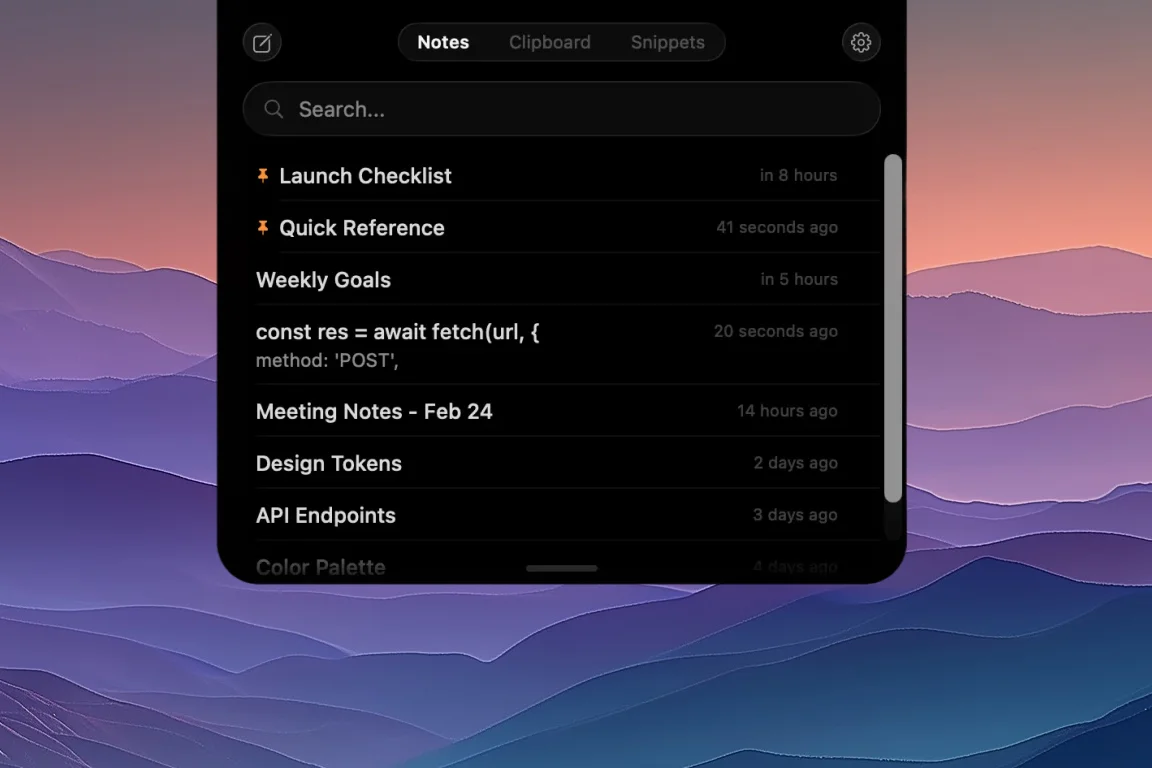
NotchPad 1.5.0 makes the notch app more useful for writing, cleaning up, and reusing saved text.
AI notes with Apple Intelligence
NotchPad AI brings Apple Intelligence actions into the note surface. On supported Macs, you can rewrite, proofread, summarize, translate, generate titles, make tables, and organize notes.
The point is not to make NotchPad a chat app. It is to help with the text you already captured: a copied support reply, a draft paragraph, a prompt, a research dump, an imported file, or a note that needs a title before it gets lost.
Richer notes in the notch
NotchPad notes now handle more than plain text. Rich notes can include images, tables, checklists, and typography controls, so the notch can hold working notes that are more structured than quick scratch text.
That matters because NotchPad is often the first place text lands. A note can start rough, become organized, then stay searchable beside snippets and clipboard history.
Clipboard history handles more of what you copy
Clipboard history is still built for reuse, but 1.5.0 makes it better at showing the shape of copied content. Links, colors, files, images, videos, and Finder references can be easier to recognize, search, pin, merge, and copy again.
Visible copy buttons also make the main action clearer in Clipboard History and Snippets rows, especially when you are moving quickly.
More room when you need it
NotchPad 1.5.0 adds roomier layout choices, including wider and taller modes. That helps when a note, table, imported file, or clipboard item needs more space than the compact notch view.
Floating Mode still lets you detach NotchPad, place it where the work is, then snap it back to the top-center hover zone when you are done.
Free and Pro in 1.5.0
The free tier includes 20 NotchPad notes, uncapped Apple Notes access, 10 clipboard items, 5 snippets, and daily AI edits on supported Macs.
Pro is a $9.99 one-time purchase that removes NotchPad limits for notes, clipboard history, snippets, and NotchPad AI. It covers up to 3 Macs and has no subscription.
Use NotchPad for stored text: notes, AI edits, clipboard history, snippets, Apple Notes, imported files, and presenter notes. Use NotchLive when the useful text starts as speech.
What NotchPad still is not
NotchPad is not a cloud workspace, a team knowledge base, a password manager, or a meeting bot. It is a local-first Mac app for captured text you want nearby.
For dictation, captions, transcripts, translation, and voice notes, use NotchLive. NotchLive can clean up spoken text, then send the finished note back to NotchPad.
Related pages
AI Notes App for Mac with Apple Intelligence
MacBook Notch Notes App with Clipboard History
Mac Clipboard Manager with Snippets
NotchPad release notes
Download NotchPad - Free
Start free. Pro is a $9.99 one-time purchase that removes NotchPad limits. See pricing.
 NotchPad