← Back to NotchPad
AI notes app for Mac
AI notes for the text you capture on Mac.
NotchPad brings Apple Intelligence into the place where your working text already lives: rich notes, clipboard history, snippets, imported files, and Apple Notes from the MacBook notch.
If you searched for an AI notes app for Mac, this is the focused NotchPad page for rewrite, proofreading, summarizing, translation, titles, tables, and note organization.
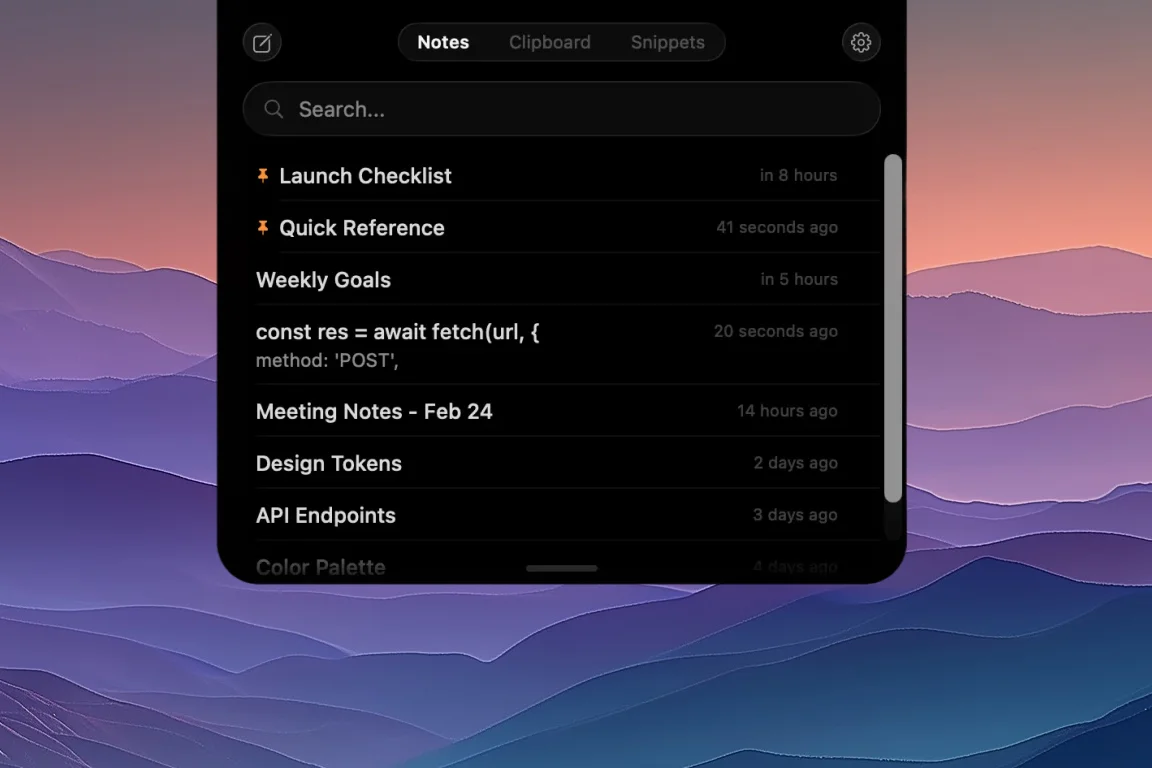
What NotchPad AI can do
NotchPad AI is built for saved text. Select or open a note, then use Apple Intelligence actions that help turn rough capture into something reusable.
Rewrite and proofread
Clean up rough notes, support replies, drafts, prompts, and copied text without leaving the notch workflow.
Summarize long notes
Turn pasted research, meeting notes, documentation, or imported text into a shorter version you can act on.
Translate captured text
Translate saved notes and copied text on supported Macs when your work moves across languages.
Generate titles
Name messy notes, imported files, drafts, and reference dumps so they are easier to find later.
Make tables
Convert rough lists, comparison notes, and copied specs into structured tables inside your note.
Organize notes
Reshape captured text into sections, checklists, and cleaner note structure.
Built for captured text, not meeting bots
NotchPad is not trying to become a cloud workspace or an automatic meeting bot. It is for the text you type, copy, import, save from Apple Notes, or send back from NotchLive.
That makes the AI workflow practical: capture first, clean up when it matters, then keep the result near the clipboard history and snippets you reuse all day.
When the useful text starts as speech
Use NotchLive for dictation, captions, transcripts, translation, and voice notes. NotchLive can clean up spoken text, then send the finished note back to NotchPad for storage, reuse, and later editing.
Why AI belongs beside clipboard history
A lot of note-taking starts as copied text: a link, a terminal command, a customer reply, a Stack Overflow answer, a spec, a quote, or a prompt. In NotchPad, that copied text can become a note, a snippet, or an AI-cleaned summary.
| Starting point |
NotchPad workflow |
| Copied research |
Save it in clipboard history, merge it into a note, then summarize. |
| Rough draft |
Rewrite or proofread the note before sending or saving it. |
| Repeated reply |
Clean it up, save it as a snippet, and paste it again later. |
| Imported file |
Turn the file into a note, generate a title, then organize the content. |
Private Mac workflow
NotchPad stores your notes, snippets, and clipboard history locally on your Mac. NotchPad AI uses Apple Intelligence on supported Macs and is unavailable on unsupported systems. Sensitive clipboard items from password managers can be encrypted and revealed with Touch ID.
For screen sharing or recording, Ghost Privacy can keep NotchPad visible to you while hiding it from the shared or recorded output.
Start free, remove limits with Pro
Start with 20 NotchPad notes, uncapped Apple Notes access, 10 clipboard items, 5 snippets, and daily AI edits. Upgrade to Pro when you want unlimited NotchPad notes, searchable clipboard history, reusable snippets, and NotchPad AI. Pro is a $14.99 one-time purchase, covers up to 3 Macs, and has no subscription.
Requires macOS 15 Sequoia or later. Apple Intelligence features require a supported Mac.
Keep reading
NotchPad 1.5.0: AI Notes, Rich Notes, and Better Clipboard History
MacBook Notch Notes App with Clipboard History
Mac Clipboard Manager with Snippets
Voice Notes with NotchLive, Saved Back to NotchPad
 NotchPad